How to Track Stress with Apple Watch: Turning Heart Metrics into Insightful Health Feedback


Understanding your stress isn’t just about noticing how you feel — it’s about measuring what’s really going on inside your body. With devices like the Apple Watch, you now have access to rich physiological data that can give you clues about your body’s stress response. One of the most useful of these metrics is heart rate variability (HRV) — and it’s at the heart of how many stress-tracking strategies work.
1. What HRV Actually Is
HRV stands for Heart Rate Variability, which is the variation in the time interval between your heartbeats. Even at rest, the time between beats naturally speeds up and slows down slightly — and this tiny variation carries big meaning. High HRV is usually a sign of good autonomic nervous system balance, whereas lower HRV often correlates with stress, fatigue, or activation of your “fight or flight” response.
2. Why HRV Matters for Stress
Our nervous system works in two major modes: rest and digest versus fight or flight. HRV reflects the balance of these systems. When you’re relaxed and well-recovered, your body shows more variation between heartbeats. Under prolonged stress, the sympathetic (“fight or flight”) part of your nervous system tends to dominate, reducing HRV.
3. Apple Watch Tracks HRV Automatically
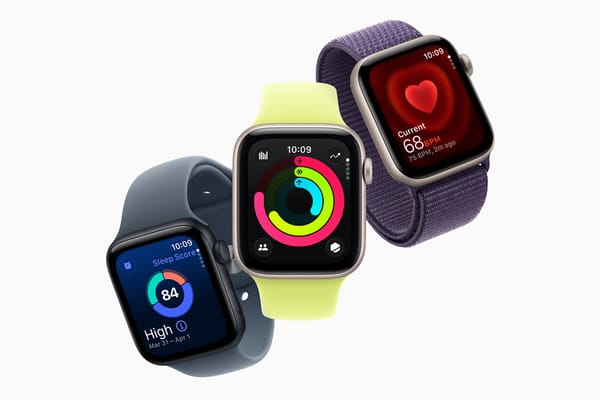
Your Apple Watch already collects HRV data in the background when you wear it throughout the day and especially during sleep or mindful breathing sessions. This metric is stored in Apple’s Health app on your iPhone, allowing broader analysis and trend tracking.
4. Viewing Your HRV Data
To see your HRV data:
- Open the Health app on your iPhone.
- Tap the Browse tab.
- Go to Heart > Heart Rate Variability.
Here, you can view your HRV over daily, weekly, monthly, or even yearly timelines — giving context to changes that might align with stress, activity, or sleep patterns.
5. Using Mindfulness to Trigger HRV Checks
Apple Watch’s Mindfulness app (formerly the Breathe app) can help prompt an intentional HRV measurement. Initiating a timed breathing or mindfulness session can generate a fresh HRV reading — especially useful for tracking immediate responses to stress.
6. Third-Party Apps for Stress Insights
Apple doesn’t currently display stress scores natively, but several third-party apps use HRV and heart rate data to interpret your stress levels. For example, apps like StressFace analyze HRV and other signals to give daily or real-time stress feedback, personalised recommendations, and trend visualisations.
 Yingchi Wang
7. What Your Stress Metrics Don’t Do
It’s important to know that Apple’s sensors don’t directly measure “stress” as a single number — there’s no official built-in stress monitor in Apple Watch OS today. What you’re really doing is using correlated metrics like HRV, resting heart rate, and recovery trends to infer stress levels.
8. Interpreting Trends Over Time
A one-off low HRV reading doesn’t necessarily mean you’re chronically stressed — context is critical. Look at how your HRV trends with your sleep quality, workout intensity, and daily routines. If you notice persistent declines in HRV alongside high activity and poor rest, that may be a sign your body is under prolonged strain.
9. Complementary Apple Watch Tools
In addition to HRV, tools like the Heart Rate app can give you real-time heart rate readings, while the Mindfulness app encourages active recovery. Combined, they help you understand both your physiological state and how you respond when you pause and breathe.
10. Turning Data into Better Health
Ultimately, tracking stress with Apple Watch isn’t just about numbers — it’s about taking action. You can use HRV trends as feedback for better sleep, more mindful breaks, or adjusting workout and recovery routines. By linking your physiological responses to real life habits, you can make choices that support better mental and physical health.